Microsoft PowerPoint vs Google Slides: Which Presentation Tool Actually Delivers for Business
Choosing between Microsoft PowerPoint and Google Slides can feel like picking sides in a decades-old rivalry. Both tools promise professional presentations, seamless collaboration, and intuitive design capabilities. But for marketing teams, communications directors, and brand managers who need to produce polished, on-brand presentations day after day, the differences between these platforms matter more than most people realise.
This comparison cuts through the marketing spin to examine what actually matters for corporate presentation design - from template management and brand consistency to collaboration features and design capabilities. By the end, you'll have a clear understanding of which tool aligns with your team's workflow and professional standards.
Design Capabilities and Professional Output
When it comes to creating presentations that impress stakeholders, clients, and investors, design capabilities are non-negotiable.
Microsoft PowerPoint has been the industry standard for professional presentation design for over three decades, and for good reason. The depth of design tools available is substantial - from advanced animation controls and morph transitions to comprehensive formatting options for charts, SmartArt, and custom graphics. PowerPoint's Slide Master functionality allows for sophisticated template architecture that maintains brand consistency across hundreds of slides without breaking a sweat.
Google Slides takes a different approach, prioritising simplicity and accessibility over advanced features. The interface is clean and intuitive, making it easy for anyone to create a basic presentation quickly. However, the design tools are noticeably limited compared to PowerPoint. Animation options are basic, chart customisation is restricted, and the template system lacks the depth needed for enterprise-level brand management.
For investor relations teams creating quarterly presentations or marketing departments developing pitch decks, PowerPoint's advanced design capabilities provide the precision and polish that professional contexts demand. The ability to fine-tune every element - from kerning on headlines to exact colour values on charts - simply isn't available to the same degree in Google Slides.
Template Management and Brand Consistency
Brand managers and communications teams understand that consistent branding across every presentation touchpoint is essential. This is where the differences between these platforms become particularly stark.
PowerPoint's template system is built for enterprise-level brand management. Custom themes can incorporate your exact brand colours with precise hex values, embed licensed fonts, and establish multiple slide layouts for different content types. The Slide Master hierarchy allows for locked elements that prevent users from accidentally moving logos or using off-brand colours. Custom ribbons can be added to provide one-click access to approved templates, branded elements, and standardised formatting.
Google Slides offers basic theme functionality, but it lacks the sophisticated controls needed for rigorous brand governance. There's no equivalent to PowerPoint's Slide Master protection features, meaning team members can easily (and accidentally) deviate from brand guidelines. Font embedding isn't supported in the same way, which can cause presentations to display differently when shared externally or viewed on devices without your brand fonts installed.
For businesses that have invested in professional brand guidelines and custom Microsoft templates, PowerPoint delivers the infrastructure to maintain consistency at scale. Google Slides can work for smaller teams with simpler needs, but enterprise communications typically require more robust template management.
Collaboration and Workflow Integration
The collaboration conversation often favours Google Slides, and there's some merit to this perception - but the reality is more nuanced than the headlines suggest.
Google Slides was built with real-time collaboration at its core. Multiple users can edit simultaneously, comments are intuitive, and the browser-based interface means no software installation is required. For teams that are already embedded in the Google Workspace ecosystem, the integration with Google Drive, Docs, and Sheets creates a seamless workflow.
However, Microsoft has closed the collaboration gap significantly with Microsoft 365. PowerPoint now offers real-time co-authoring through the web app and desktop application, with changes syncing automatically via OneDrive or SharePoint. The integration with Microsoft Teams means presentation collaboration can happen directly within your team's communication hub, with version history and commenting features that rival Google's offering.
Where Microsoft 365 pulls ahead is in the broader ecosystem integration. PowerPoint works seamlessly with Word, Excel, and Outlook - meaning you can embed live Excel charts that update automatically, pull data from other Office documents, and maintain consistent formatting across your entire Microsoft template suite. For businesses already using Microsoft 365 (which includes most large corporations), this ecosystem advantage is substantial.
Performance and Reliability
Professional presentations often involve complex elements - embedded videos, detailed charts, high-resolution images, and sophisticated animations. How each platform handles this complexity matters for your workflow and final output quality.
PowerPoint, as a desktop application, leverages your computer's processing power to handle complex presentations smoothly. Large files with dozens of slides, embedded media, and intricate animations perform reliably. The desktop app doesn't require an internet connection, which means you can work on planes, in conference centres with dodgy WiFi, or anywhere else connectivity is unreliable.
Google Slides runs in your browser, which introduces some limitations. Very complex presentations can become sluggish, and the feature set available offline (while improved) still doesn't match the desktop PowerPoint experience. For straightforward presentations with minimal complexity, this isn't an issue. But for investor presentations with detailed financial charts or marketing decks with embedded video content, the browser-based approach can feel constraining.
Export quality is another consideration. PowerPoint offers granular control over export settings, including the ability to configure 300 DPI image exports for print-quality output. Google Slides' export options are more limited, which can be problematic when you need to repurpose presentation content for different channels.
Cost Considerations
Google Slides is free with a Google account, which is compelling for startups, small businesses, and teams operating on tight budgets. Google Workspace business plans (required for enterprise features and support) start at modest monthly rates.
Microsoft 365 subscriptions include PowerPoint along with the full Office suite - Word, Excel, Outlook, Teams, and more. For businesses already paying for Microsoft 365 (and most corporations are), PowerPoint comes at no additional cost. The question isn't whether PowerPoint costs more, but whether your business is already invested in the Microsoft ecosystem.
When you factor in the productivity gains from professional-grade design tools, robust template management, and seamless ecosystem integration, the cost equation typically favours whichever platform aligns with your existing infrastructure.
Making the Right Choice for Your Team
The PowerPoint vs Google Slides debate doesn't have a universal winner - the right choice depends on your specific needs, existing infrastructure, and professional requirements.
Choose PowerPoint if:
- Your business operates within the Microsoft 365 ecosystem
- Brand consistency and template governance are priorities
- You need advanced design capabilities for professional presentations
- Presentations involve complex charts, animations, or embedded media
- You work with investor relations, executive communications, or client-facing pitch decks
- Offline access and reliable performance are essential
Choose Google Slides if:
- Your team is embedded in Google Workspace
- Presentations are straightforward with minimal complexity
- Budget constraints make free tools attractive
- You're creating internal presentations where brand precision is less critical
For most corporate marcomms teams, PowerPoint remains the more capable tool for producing polished, on-brand presentations that meet professional standards.
When Your Templates Need More Than a Software Upgrade
Choosing between presentation tools is only part of the equation. The templates and designs you work with day-to-day determine whether your team can produce professional results efficiently - regardless of which platform you use.
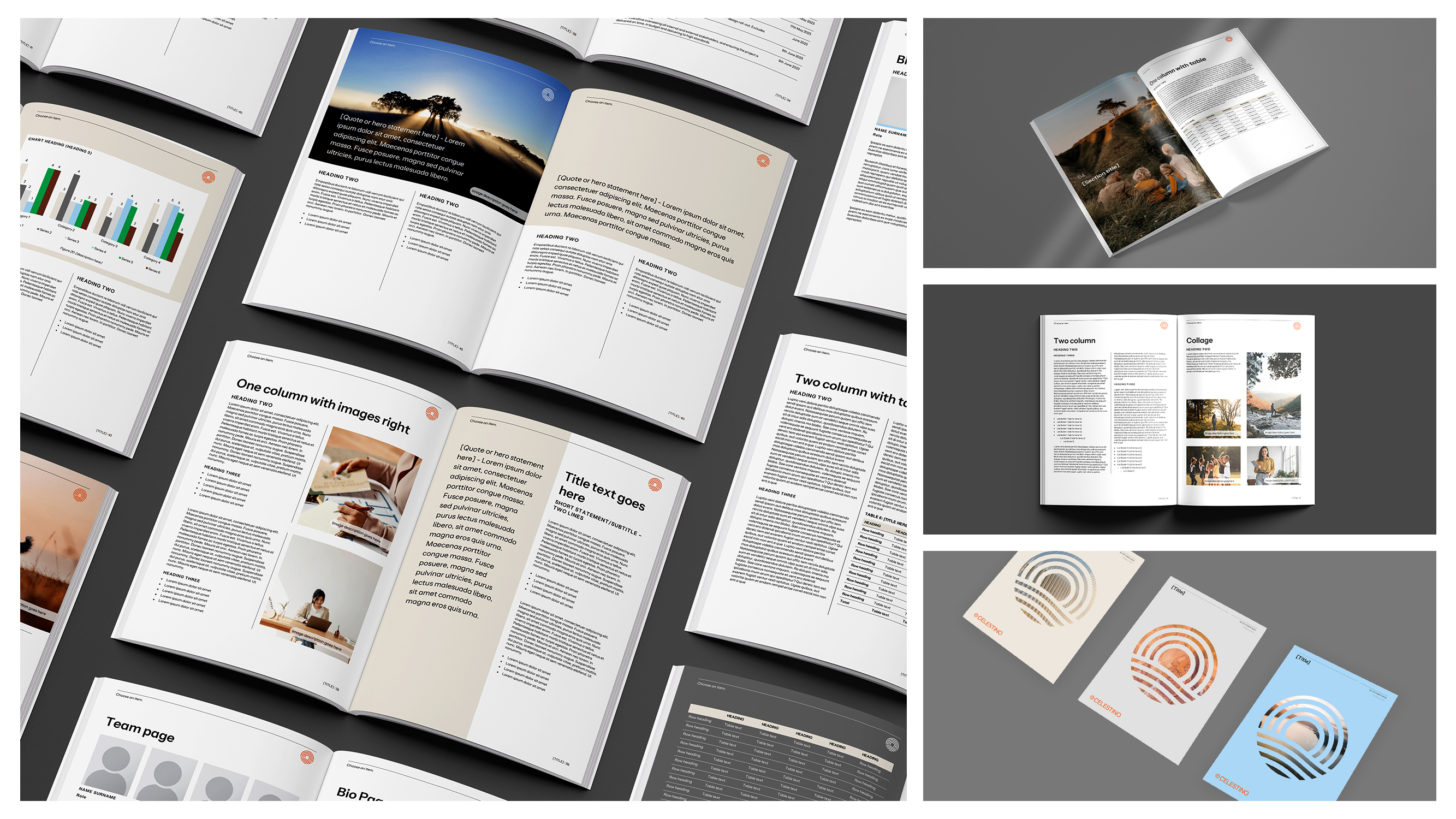
If your current PowerPoint or Google Slides templates are inconsistent, difficult to use, or simply don't reflect your brand properly, switching software won't solve the underlying problem. Custom presentation templates designed specifically for your brand and workflow can transform how your team approaches every presentation - saving time, ensuring consistency, and producing results that genuinely represent your business.
At Ideaseed, we specialise in creating professional PowerPoint templates and presentation design solutions that make your team more productive while maintaining impeccable brand standards. Whether you need comprehensive corporate slide decks, investor presentation design, or company-wide Microsoft Office template systems, we help businesses produce better communications in less time.
Curious about whether your current templates are working as hard as they should be? Our free template audit for Word and PowerPoint provides personalised insights into potential improvements - no obligation, just practical recommendations you can action immediately.
Complete your free template audit HERE.
RAVE REVIEWS
who we work with


.svg)
.svg)
.svg)
.svg)


%20(2).avif)



.svg)